Virtual Scroll and Infinite Scroll Summary
Recently, while developing a screen to display data at work, I experienced performance degradation issues when using only simple infinite scroll. To improve this, I learned about the Virtual Scroll technique and would like to share the organized content.
What is Infinite Scroll?
Infinite Scroll is a method where, as the user scrolls the page, the next data is automatically loaded and appended to the screen. In other words, users can continue to see new data without "page navigation".
Representative examples include Instagram feeds, Twitter timelines, and Naver news feeds, which use this technique.
Basic Infinite Scroll Implementation Example
const onScroll = useCallback(() => {
  if (loading || !hasMore) return;

  // Request next page when scroll reaches near the end (within 200px)
  if (window.innerHeight + window.scrollY >= document.documentElement.scrollHeight - 200) {
    setPage((prevPage) => prevPage + 1);
  }
}, [loading, hasMore]);

const loadData = useCallback(async (pageNum) => {
  try {
    setLoading(true);
    const result = await fetchDataPaginated(pageNum, 50);

    if (pageNum === 1) {
      setData(result.data);
    } else {
      setData((prev) => [...prev, ...result.data]);
    }

    setHasMore(result.hasMore);
  } catch (err) {
    setError(err.message);
  } finally {
    setLoading(false);
  }
}, []);

useEffect(() => {
  window.addEventListener('scroll', onScroll);
  return () => window.removeEventListener('scroll', onScroll);
}, [onScroll]);

useEffect(() => {
  loadData(1);
}, []);

useEffect(() => {
  if (page > 1) loadData(page);
}, [page]);
Limitations of Infinite Scroll
While infinite scroll is convenient from a user experience perspective, it has the disadvantage of rapidly degrading browser performance as data increases. The reason is simple. Even if elements are not visible on the screen, the browser must maintain and render all elements in the DOM tree.
In other words, as data increases, the CPU and memory resources required for rendering increase exponentially. The technique that emerged to solve this problem is Virtual Scroll.
What is Virtual Scroll?
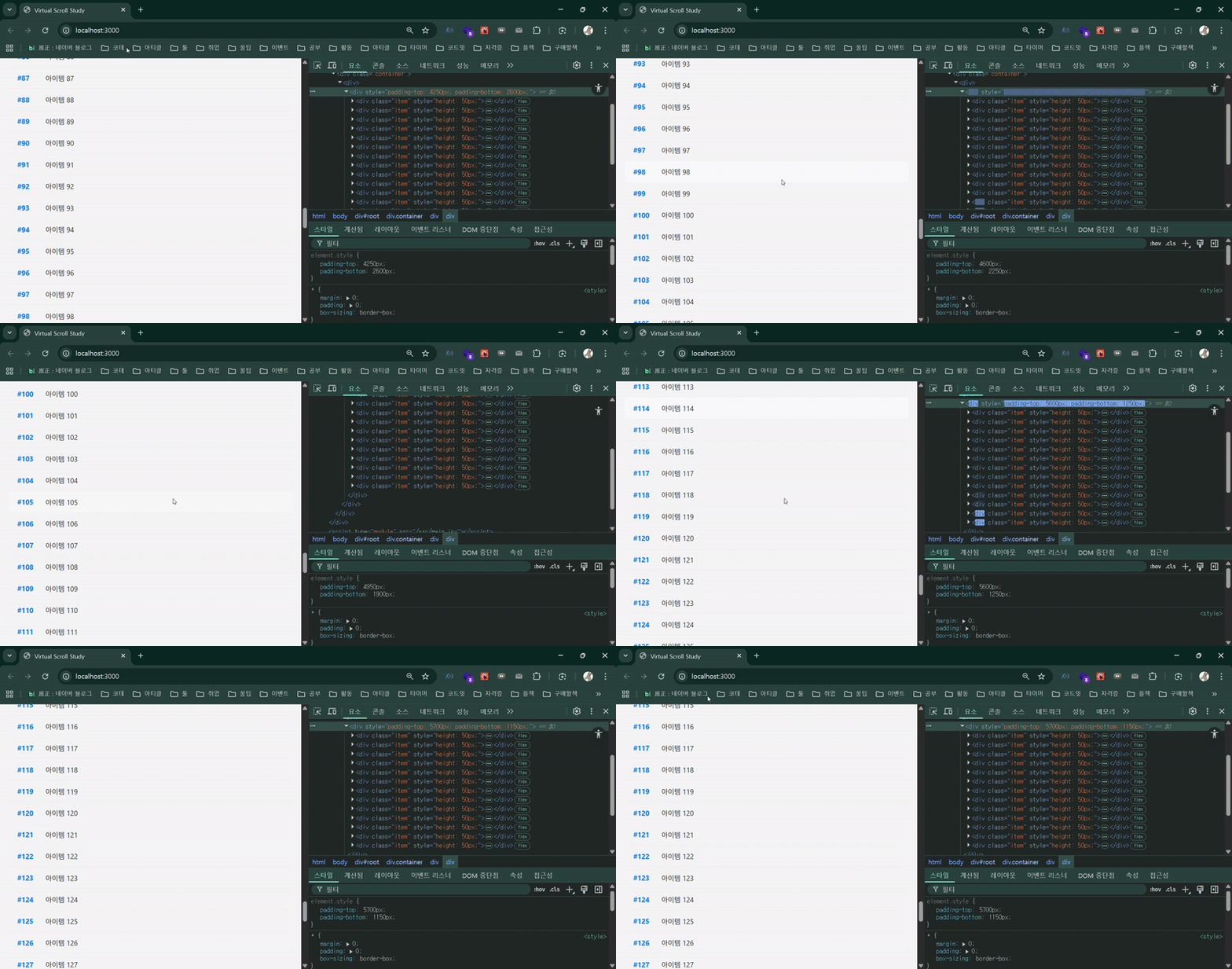
Virtual Scroll is a technique that renders only the elements actually visible to the user, and does not render elements hidden outside the screen.
In other words, it's a technology where "the browser maintains only a small number of DOM elements, but users feel as if all data has been rendered".
This approach is particularly effective for large-scale lists or feed-type UIs that need to display thousands to tens of thousands of data items. It's used in services like Instagram, Pinterest, YouTube, and Coupang.
Principle Explanation
The core principle of Virtual Scroll is limiting the rendering range. Instead of drawing all data at once, it displays only a portion of data currently visible on the screen.
Calculating the number of renderable items For example, if each item's height is 50px and the browser height is 800px, approximately 16 items are displayed on one screen. Even if the actual data is 10,000 items, only these 16 need to be rendered.
Create a function that calculates the index based on scroll position, and call it according to scroll events.
And to make scrolling feel natural to users, padding is used to correct the total height.
Components
startIndex: Starting index of items visible at the top of the scroll

endIndex: Ending index of items visible at the top of the scroll

paddingTop: Total height of invisible items at the top of the scroll

paddingBottom: Total height of remaining items at the bottom

By filling space in this way, users feel as if "all data is present".
Implementation Example
import React, { useEffect, useState } from 'react';

const VirtualScroll = ({ data }) => {
  const ITEM_HEIGHT = 50;
  const viewportHeight = window.innerHeight;
  const renderCount = Math.ceil(viewportHeight / ITEM_HEIGHT) + 5; // Add buffer

  const [padding, setPadding] = useState({ top: 0, bottom: 0 });
  const [startIndex, setStartIndex] = useState(0);
  const [endIndex, setEndIndex] = useState(renderCount);

  useEffect(() => {
    const onScroll = () => {
      const scrollY = window.scrollY;
      const newStartIndex = Math.floor(scrollY / ITEM_HEIGHT);
      const newEndIndex = newStartIndex + renderCount;

      setStartIndex(newStartIndex);
      setEndIndex(newEndIndex);

      setPadding({
        top: newStartIndex * ITEM_HEIGHT,
        bottom: Math.max((data.length - newEndIndex) * ITEM_HEIGHT, 0),
      });
    };

    window.addEventListener('scroll', onScroll);
    return () => window.removeEventListener('scroll', onScroll);
  }, [data]);

  const visibleData = data.slice(startIndex, endIndex);

  return (
    <div
      style={{
        paddingTop: `${padding.top}px`,
        paddingBottom: `${padding.bottom}px`,
      }}
    >
      {visibleData.map((item) => (
        <div key={item.id} className='item' style={{ height: `${ITEM_HEIGHT}px` }}>
          <span className='item-id'>#{item.id}</span>
          <span className='item-content'>{item.name}</span>
        </div>
      ))}
    </div>
  );
};

export default VirtualScroll;